If you used to be a Windows 8 user, like me, you probably hated that "swipe in from the right" thing you had to do to change settings and run searches. Man, that was so annoying to have to swipe just the right way to get it to show and to stay showing.
Fortunately, some things in that right-hand swiping window are now in the Start Menu. Not only that, Windows 10 has a much cooler, easier-to-use feature over there on the right, called the Action Center. You get to it by clicking the speech bubble at the far right end of your taskbar.

The Action Center contains two major areas. In the top part, you'll get
Microsoft notifications. Here you might see notifications of things like upcoming major updates, problems installing updates, or security and maintenance issues. Just click on the notification text to see the details.

The second major area of the Action Center is the
settings tiles at the bottom. This is a convenient location from which to view and change the settings you will most likely need to change periodically.
Here's what you can do from each tile:
Tablet mode: Toggle it on or off. (Text is greyed out if not using a tablet.)
Network: See network settings. Launch window to change settings.
 Note:
Note: You can set up this tile to automatically connect to a web-based OneNote account. Once you get it connected, this is an easy way to quickly start a new note… like if you're having a conversation and suddenly realize it would be handy to jot some things down.
All Settings: This is quick way to launch the Settings window.
 Airplane Mode:
 Toggle it on or off.
Location: Toggle on/off Microsoft's ability to automatically see your location.
Quiet Hours: Toggle on/off new notifications between 12 am and 6 am. (These times cannot be changed.)
Brightness: Cycle through your computer screen's brightness settings. (Brightness will increase from the current setting, in increments of 25%, then cycle back starting at 0%.)
Bluetooth: Toggles on/off a bluetooth connection, if a device is connected (such as a wireless headset).
VPN: Launch window to view or change settings for a Virtual Private Network.
Battery Saver: Toggles on/off battery saver mode on a laptop or other battery-powered device. (Text is greyed out if device is plugged in.)
Project: (Not proj'-ect, but pro-ject'.) On a device connected to an external screen or projector, choose a projection setting.
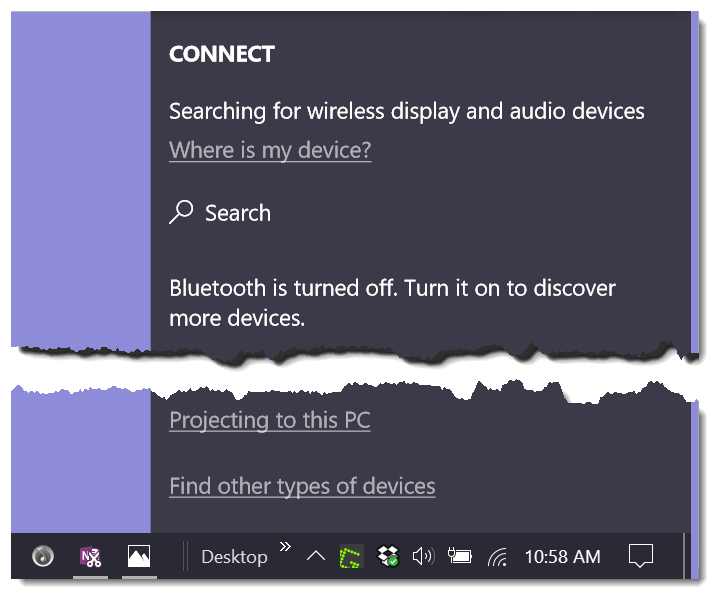
 Connect:
 Search for and connect a wireless display or audio device (such as a wireless headset).
I hope you'll take the time to try out all the Action Center has to offer. For traders, it's one of the better new features in Windows 10.
There are more trading computer tips like this in our buyers guide. Check out our "How To Buy a Trading Computer" e-book.
We hope today's Quick Tip helped you. If you found this helpful, you'll want to check out the other computer How-To's I've created
on this page. You can always call us if you have questions:
800-387-5250


 Note: You can set up this tile to automatically connect to a web-based OneNote account. Once you get it connected, this is an easy way to quickly start a new note… like if you're having a conversation and suddenly realize it would be handy to jot some things down.
All Settings: This is quick way to launch the Settings window.
Note: You can set up this tile to automatically connect to a web-based OneNote account. Once you get it connected, this is an easy way to quickly start a new note… like if you're having a conversation and suddenly realize it would be handy to jot some things down.
All Settings: This is quick way to launch the Settings window.


